
HIPAA-compliant staff communication, as easy as texting.
Give your team one secure place for shift handoffs, resident questions, and everyday coordination. Staff can use Caily from the phones they already carry, while conversations stay documented and inside a channel your organization controls.

From an advisory partner:
— Anonymous, senior living operator
How Caily helps.
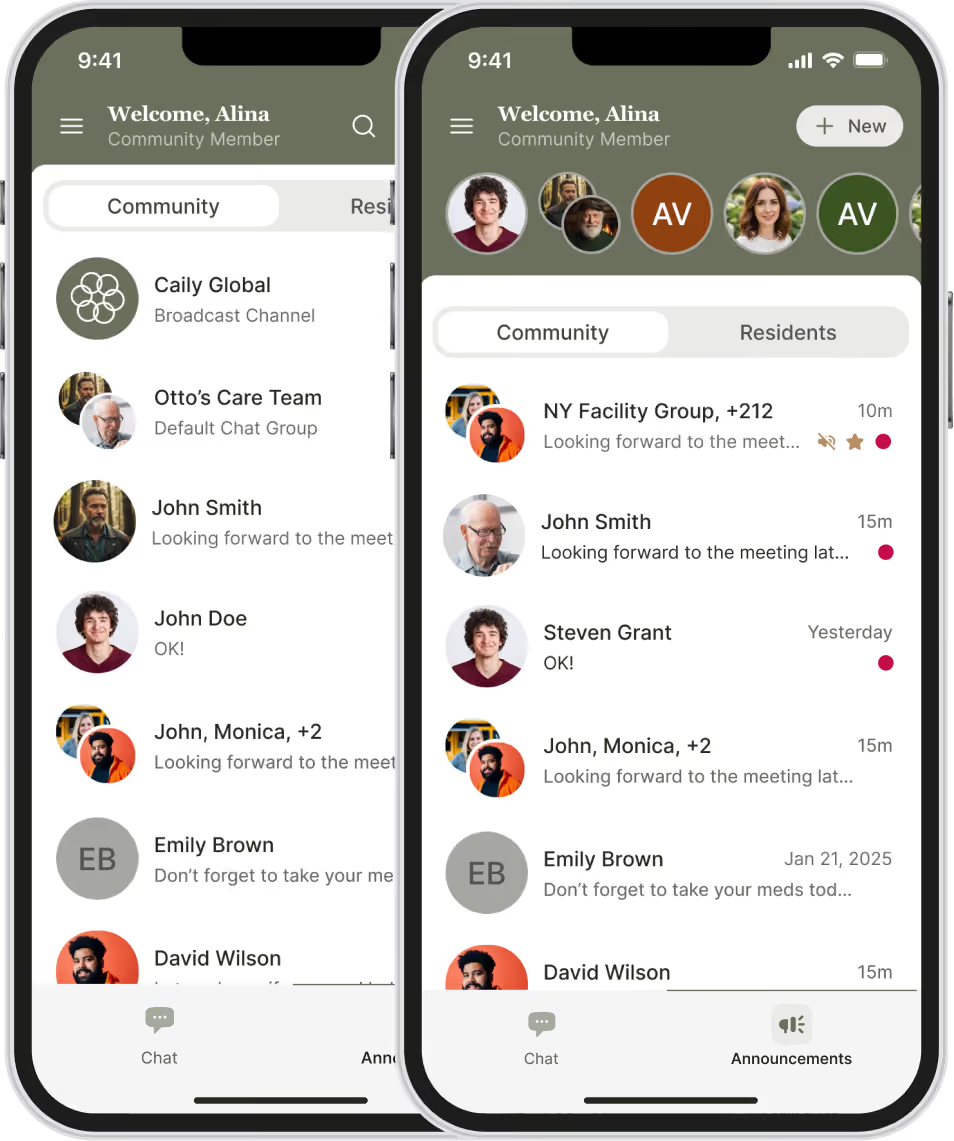
Easy communication: Message your team the same way you’d text, one on one or in groups, inside a secure channel built for your community.
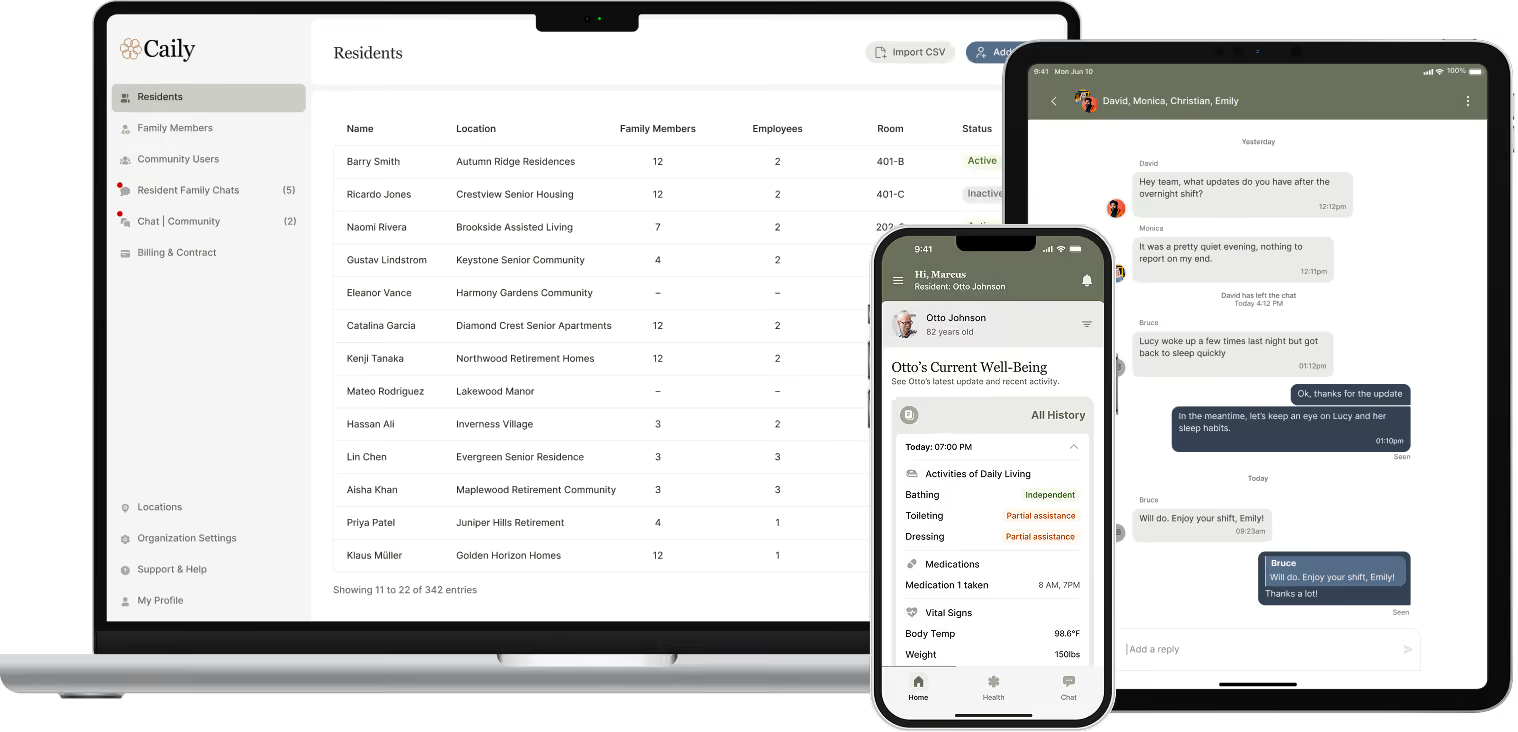
The right access: Staff only see the residents and locations they’re assigned to. Admins have the visibility they need across the team.
Secure and documented: Keep resident-related conversations inside Caily instead of personal text threads, so communication stays secure, documented, and with your community.
Continuity between shifts: Nothing gets lost between shifts. The next person can see what’s already been communicated and pick up where the last person left off.

From an advisory partner:
— Anonymous, senior living operator
Built for the way care teams actually talk to each other.
Shift handoffs
Coordinating between departments
Quick questions about a resident
Covering a shift
Escalating a concern to a supervisor
Catching up on recent team conversations
See how this fits your team’s day to day.
Get a closer look at how Caily makes everyday team communication simple, secure, and documented, from quick questions to ongoing resident-related conversations.
Built for HIPAA. Designed for real life.
Every login requires two-factor authentication
Sessions lock automatically after a short period of inactivity.
Access can be revoked in seconds the moment someone leaves your team.
No resident data lives on the device itself.
BAAs are already in place with every client.

Part of one connected communication experience.
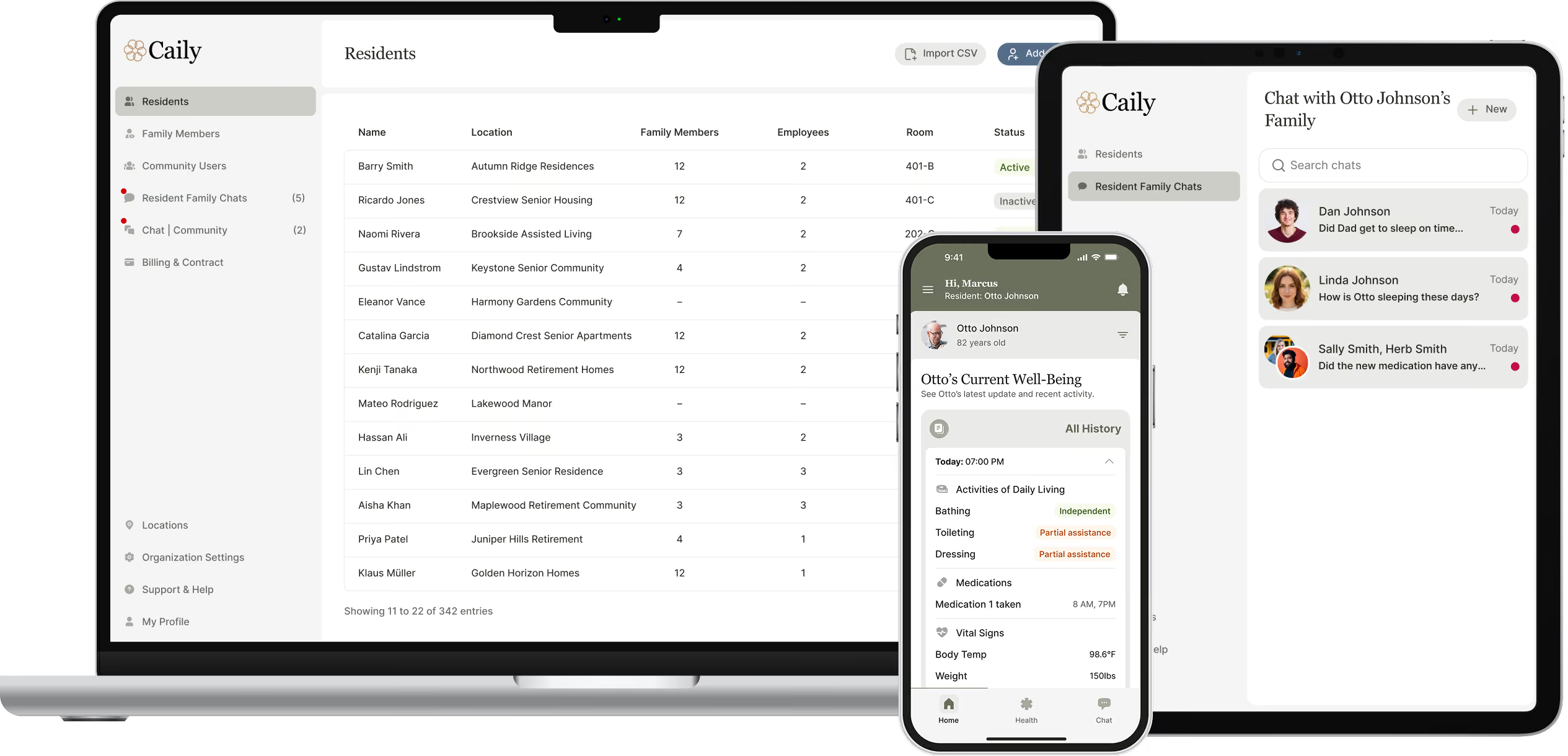
This works alongside family messaging, daily updates, announcements, emergency alerts, permissions, searchable history, and optional EHR integration, one system covering every conversation your community has.
Common Questions
Do staff need to give out their personal phone number?
No. Every conversation happens inside Caily, so no one’s personal number is ever part of the workflow.
What happens to messages when a staff member leaves?
The conversation history stays with your community. It doesn’t disappear when someone does.
Can staff message one-on-one, or is it only group chats?
Both. Staff can message a specific colleague directly for sensitive topics, or use a group chat for broader coordination.
How do staff know what still needs a response?
Messages can be assigned to a specific person, so anyone can see at a glance what’s already been handled and what’s still open.
Still have a question?
See what secure staff communication could look like for your team.
Talk through your current workflows, and what would actually make shift handoffs and triage easier.