Find the communication that matters, without reconstructing it from memory.

Every resident-related conversation lives in one organized, searchable history, so nothing depends on someone’s memory or a message you can’t find anymore.

Senior female doctor with gray hair wearing a white coat and stethoscope, sitting at a desk, talking on the phone and pointing at a computer monitor in a bright office.

Why this matters.

When conversations only live in personal texts, email, and memory, you’re not just disorganized, you have no way to prove what was said if a family disputes it or a surveyor asks for documentation. “We talked about it” isn’t something you can hand over.

How Caily helps.

Every conversation is automatically linked to the resident it’s about, no manual filing.

Updates, messages, and announcements all live in the same searchable history.

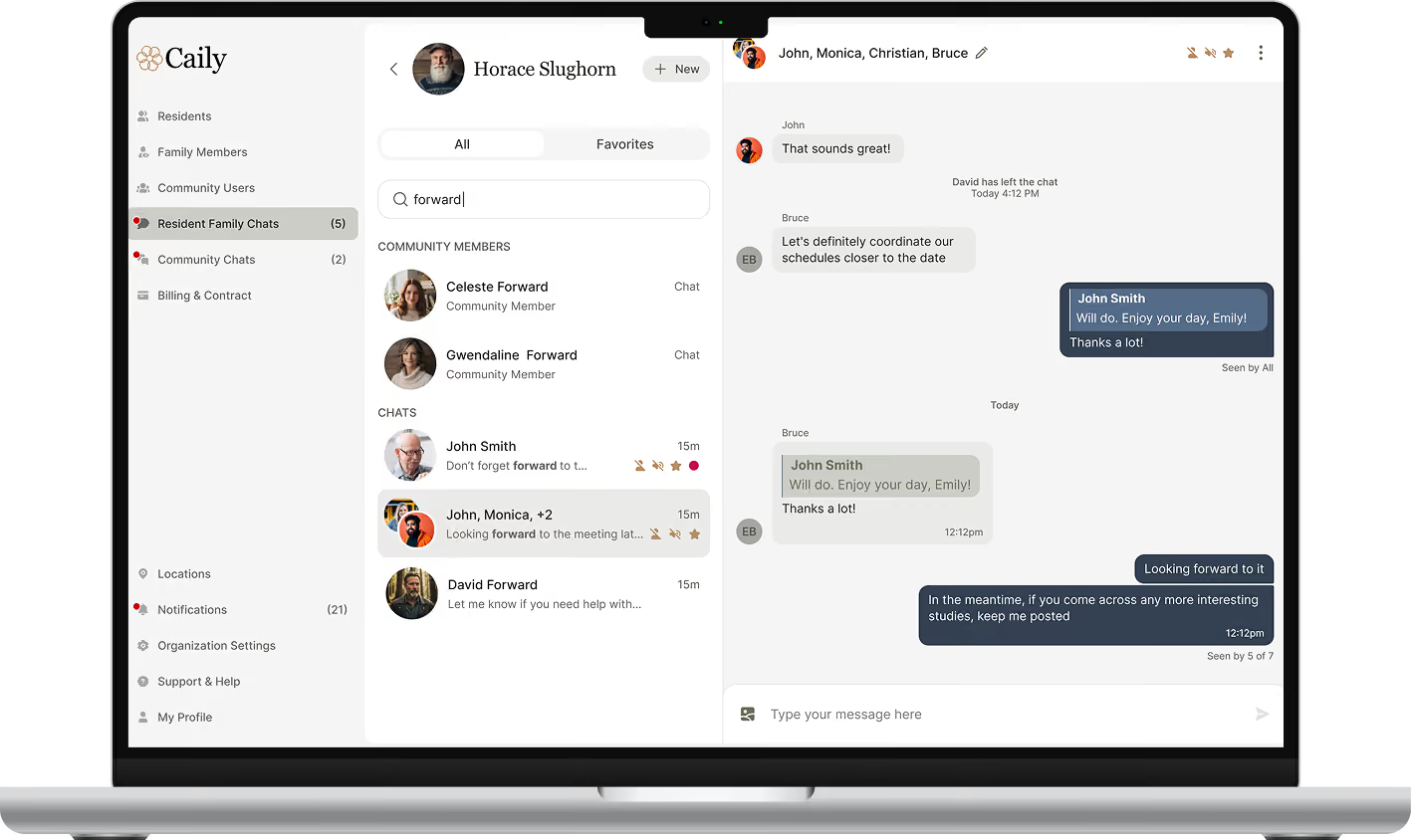
Search by resident, date, or keyword to find exactly what you need.

Use what you find to answer a family’s question, prepare for a survey, or support an internal review.
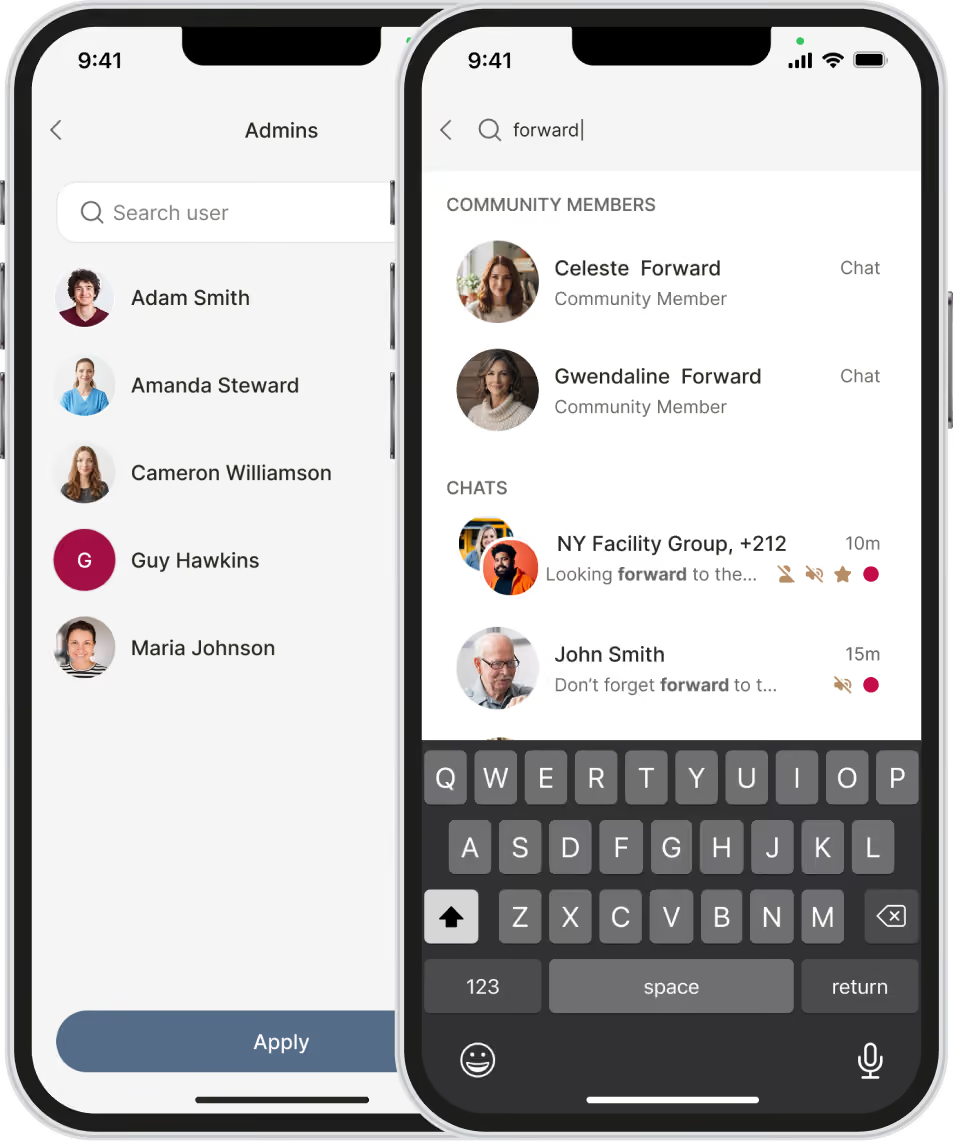
Two smartphones side by side displaying user interfaces of a messaging app; the left screen shows a list of admin users with names and profile pictures and a search bar labeled 'Search user' and an 'Apply' button below, including names Adam Smith, Amanda Steward, Cameron Williamson, Guy Hawkins, and Maria Johnson. The right screen shows a search for 'forward' with two community members Celeste Forward and Gwendaline Forward listed at the top with 'Chat' buttons, followed by chat conversations including 'NY Facility Group' with a snippet mentioning 'forward' and John Smith with a message saying 'Don’t forget forward to...' with timestamps and icons, as well as a visible keyboard at the bottom.

Built for a team that’s always changing.

Family questions

Leadership review

Shift continuity

Service recovery

Survey preparation

Audit preparation

Dispute review

Internal follow-up

The value extends beyond convenience.

A searchable history isn’t just convenient, it’s what you point to when someone asks what happened, when leadership needs visibility, or when a survey or dispute puts your documentation on the spot.

See how searchable history actually works.

Watch a live walkthrough of finding a past conversation.
Schedule A Demo
Open laptop displaying Caily community chat interface with a sidebar menu on the left including sections like Residents, Family Members, Community Users, Resident Family Chats, Community Chats, Billing & Contract, Locations, Notifications, Organization Settings, Support & Help, and My Profile. The main screen shows a chat search for 'forward' with a list of community members and chats including Celeste Forward, Gwendaline Forward, John Smith, a group chat with John, Monica and others, and David Forward. The right side shows an active group chat with messages discussing coordinating schedules and sharing studies, with participant names John, Monica, Christian, and Bruce.

Urgent communication still needs to be secure.

Every login requires two-factor authentication

Sessions lock automatically after a short period of inactivity.

Access can be revoked in seconds the moment someone leaves your team.

No PHI lives on the device itself.

BAAs are already in place with every client.

A male healthcare worker in blue scrubs holding a tablet and talking to a smiling woman in a wheelchair at a dining table with plates of food and a glass of water.

Part of one connected communication experience.

This works alongside staff messaging, family messaging, daily updates, announcements, emergency alerts, permissions, and optional EHR integration.

Common Questions

Do I need to manually tag conversations to a resident?

No. Conversations are automatically linked to the resident they’re about.

Can families search the history too?

No. Families only ever see their own resident’s information, the same permission rules apply here as everywhere else in Caily.

Can I use this to prepare for a survey or audit?

Yes, that’s exactly what it’s built for: a documented, searchable record you can reference when preparing for a survey, audit, or reviewing a specific concern.

Does this work without EHR integration?

Yes. Searchable history is part of core chat, no EHR connection required.

Still have a question?
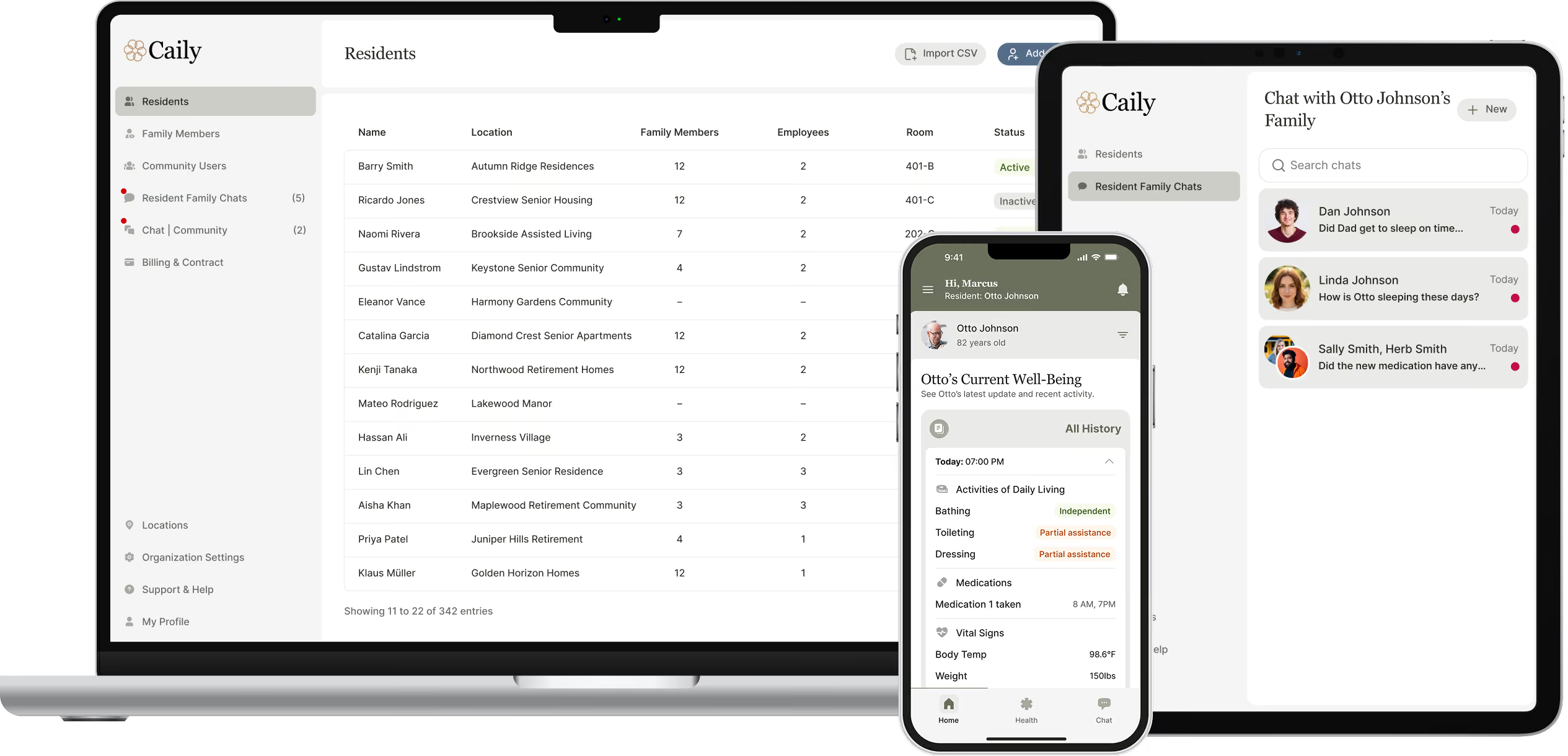
User interface of Caily software displayed on three devices: laptop screen showing a residents list with columns for name, location, family members, employees, room, and status; a smartphone showing current well-being details of a resident named Otto Johnson including daily living activities, medications, and vital signs; and a tablet displaying a chat window titled 'Chat with Otto Johnson's Family' with messages from family members.

Keep important communication connected, organized, and easier to find.

See how this fits your community’s communication workflows and priorities.

Schedule a Demo