
Send one update. Reach the people who need it.
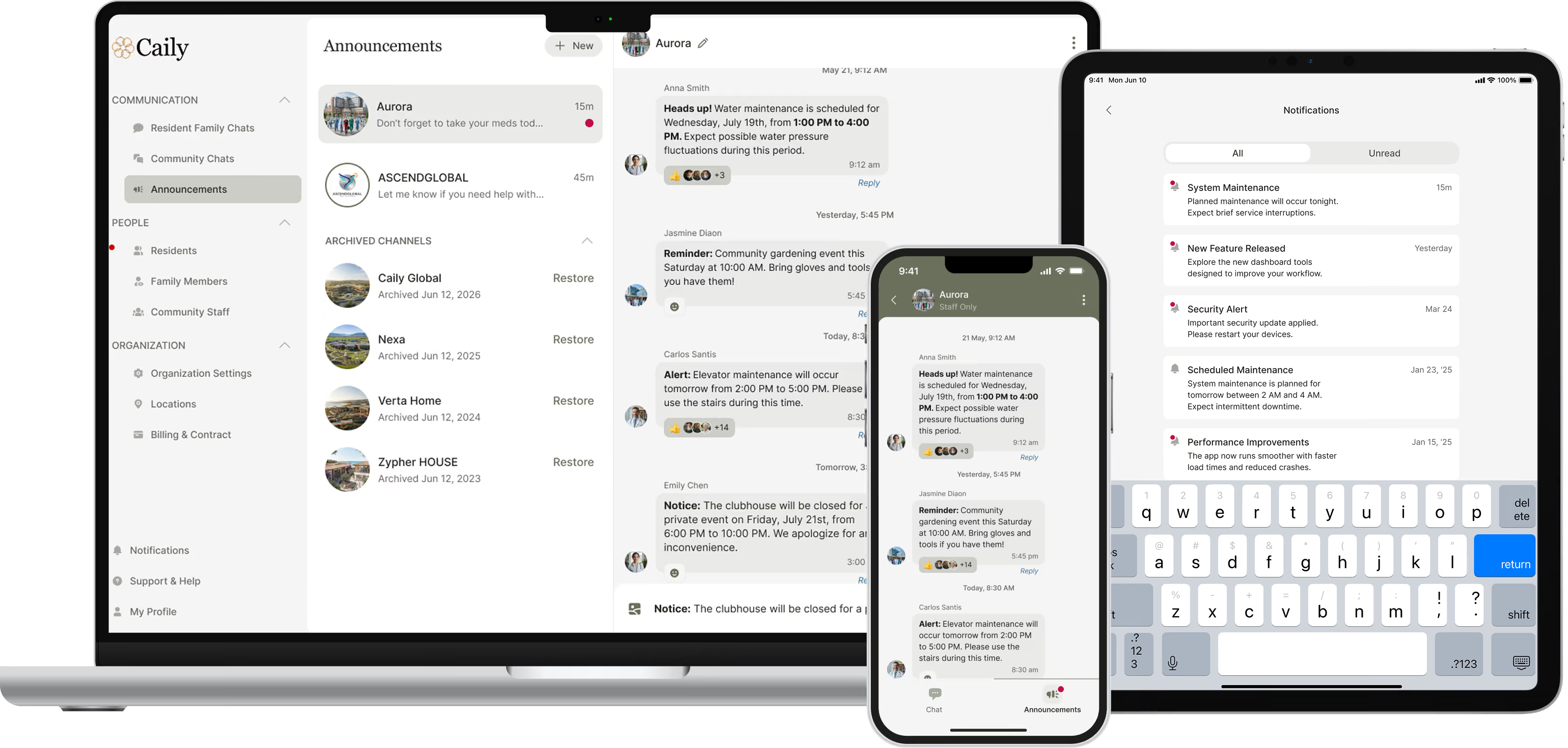
Use Caily to share routine announcements with staff, families, specific groups, or your entire organization from one secure place. Choose the audience, send the message once, and keep a documented record without repeating the same update across calls, texts, and email.

How Caily helps.
Create the announcement once.
Write the update in Caily instead of repeating the same message across texts, calls, email, and separate group chats.
Choose exactly who should receive it.
Send an announcement to a specific family or group, your staff, or everyone who needs the information.
Share more than just text.
Include photos or documents when the announcement needs additional context, and schedule messages in advance when timing matters.
Keep the communication with your organization.
Announcements remain part of Caily’s communication history, giving your team one place to reference what was shared later.

Built for real community communication.
Event reminders
Family information
Schedule changes
Dining and transportation updates
Staff notices
General organization updates
Policy and rate notices
See how announcements actually work.
Watch a live walkthrough of sending and managing announcements.
Urgent communication still needs to be secure.
Every login requires two-factor authentication
Sessions lock automatically after a short period of inactivity.
Access can be revoked in seconds the moment someone leaves your team.
No PHI lives on the device itself.
BAAs are already in place with every client.

Part of one connected communication experience.
This works alongside staff messaging, family messaging, daily updates, emergency alerts, permissions, searchable history, and optional EHR integration.
Common Questions
Can I choose who receives an announcement?
Yes. You choose the audience each time, whether that’s a specific family or group, your staff, or a broader audience across your organization.
Can I schedule announcements in advance?
Yes. Announcements can be scheduled ahead of time, which is useful for reminders, upcoming events, planned changes, and other routine communication.
Can I include photos or documents?
Yes. You can add photos and documents when an announcement needs more context than text alone.
Is there a record of what we sent?
Yes. Announcements stay in Caily’s communication history, so your team can reference what was shared later instead of relying on scattered emails, texts, or individual staff records.
Do Announcements require an EHR integration?
No. Announcements are part of Caily’s communication platform and can be used without an EHR connection.
When should we use an Announcement instead of an Emergency Alert?
Announcements are designed for routine communication such as events, schedule changes, reminders, notices, and general updates. Emergency Alerts are designed for situations when a message needs to stand out immediately.
Still have a question?
Make community communication easier to send, and easier to manage.
See how this fits your community’s communication workflows and priorities.