
Reach the right people when the situation can't wait.
Caily gives care organizations a fast, secure way to reach staff, families, and other authorized contacts during severe weather, evacuations, security incidents, urgent closures, or other time-sensitive situations.

How Caily helps.
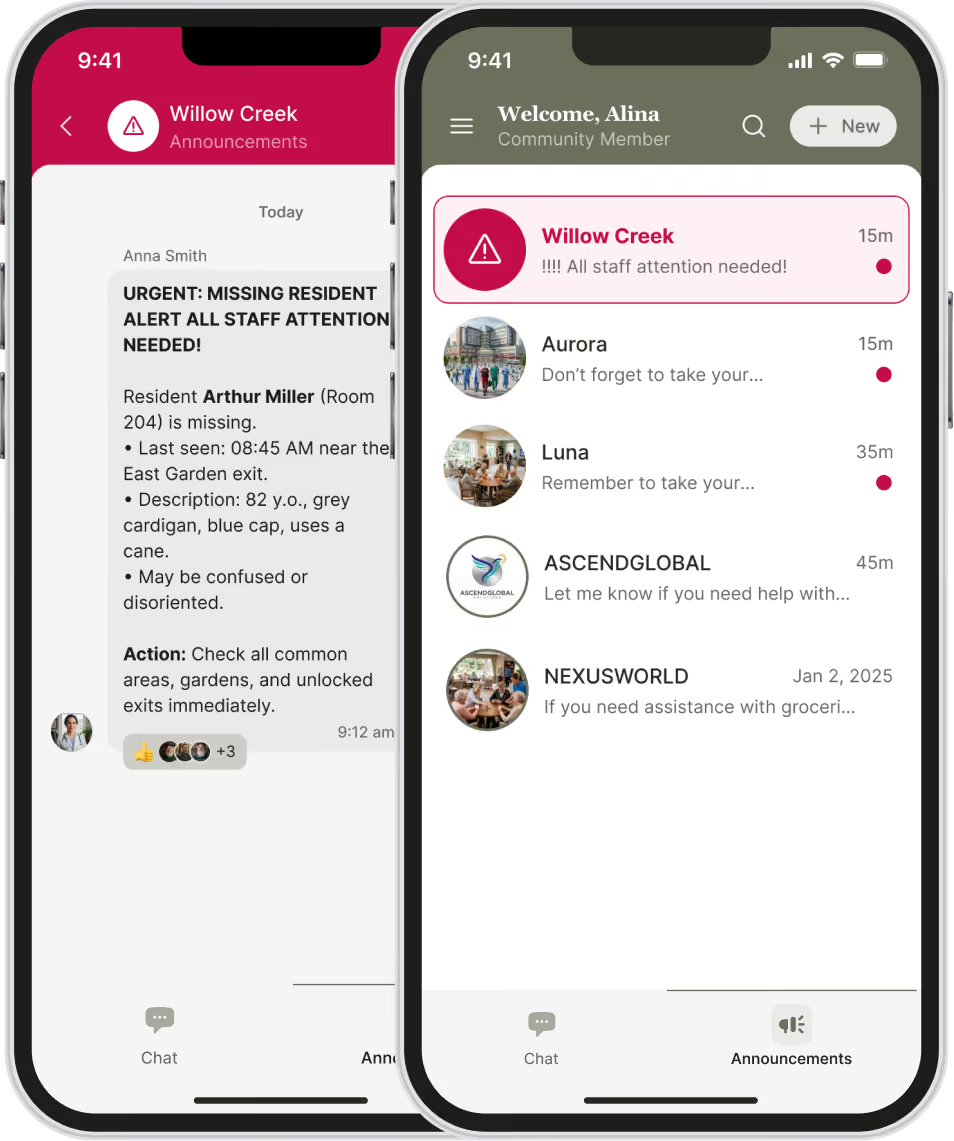
Write the message in the group or chat your team already uses.
Mark it as an Emergency Alert.
Caily pins it to the top of notifications and chats and sounds an alert, using emergency-alert capabilities available through Apple and Google devices to help it stand apart from routine communication.
Everything stays inside the same secure platform your team already knows, with no separate emergency app or unfamiliar workflow to learn.
Built for the moments that can't wait.
Severe weather
Evacuations
Security incidents
Missing person or elopement
Utility outages
Urgent closures
Transportation disruptions
Public health events
Other time-sensitive situations

Urgent communication still needs to be secure.
Every login requires two-factor authentication
Sessions lock automatically after a short period of inactivity.
Access can be revoked in seconds the moment someone leaves your team.
No PHI lives on the device itself.
BAAs are already in place with every client.

Part of one connected communication experience.
Use this alongside staff messaging, family messaging, daily updates, announcements, permissions, searchable history, and optional EHR integration.
Common Questions
Are Emergency Alerts a separate system?
No. Emergency Alerts are built into the same Caily platform your team uses for everyday messaging, so urgent communication stays inside the groups and conversations you already have set up.
How does an Emergency Alert stand out from a normal message?
Mark a message as an Emergency Alert and Caily pins it to the top of notifications and chats and sounds an alert. Caily also uses the emergency-alert capabilities available through Apple and Google devices to help urgent messages stand apart from routine communication.
Can families or other authorized contacts receive Emergency Alerts too?
Yes. Alerts can go to the staff, families, or other authorized contacts included in the relevant group or conversation, depending on who needs the information.
What kinds of situations are Emergency Alerts designed for?
Severe weather, evacuations, security incidents, missing person or elopement events, utility outages, urgent closures, transportation disruptions, public health events, and other time-sensitive situations.
Does the alert stay documented?
Yes. The alert stays inside Caily with the surrounding conversation, creating a record your organization can reference later.
Still have a question?
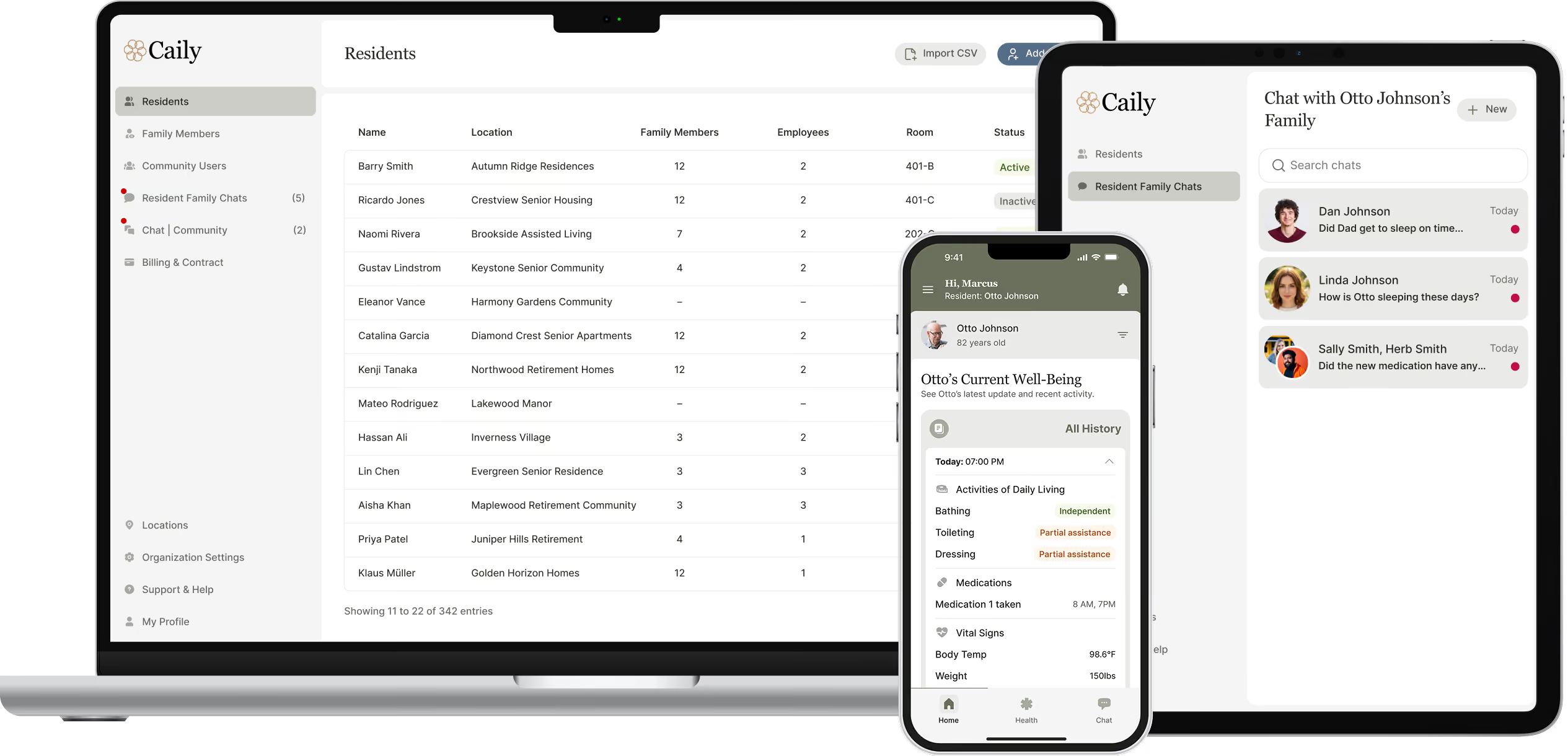
Be ready for everyday communication, and the unexpected.
See how this fits your community's communication workflows and priorities.