
Keep families informed without adding another task to your team.
With Caily’s optional EHR integration, selected information from your EHR is automatically shared with families through Daily Updates. Your organization decides what to share, from a simple daily view to connected information like medications and ADLs. Families stay closer to what’s happening, while staff spend less time answering routine calls for information that’s already available.

How Caily helps.
Connect directly to the EHR.
With Caily’s optional EHR integration, Daily Updates are generated automatically from information your team is already documenting. There’s no separate update for staff to create.
Choose exactly what families can see.
Your organization controls what information is shared. You can keep the update simple or give families greater visibility into connected information such as medications, ADLs, vitals, and other day-to-day details.
Give families a clearer view of what’s happening.
Instead of waiting for a call or wondering how their loved one is doing, families can see the information you’ve chosen to make available in Caily.
Turn routine documentation into fewer routine questions.
When families already have access to the updates they’re looking for, staff don’t have to repeatedly stop what they’re doing to provide the same information by phone.
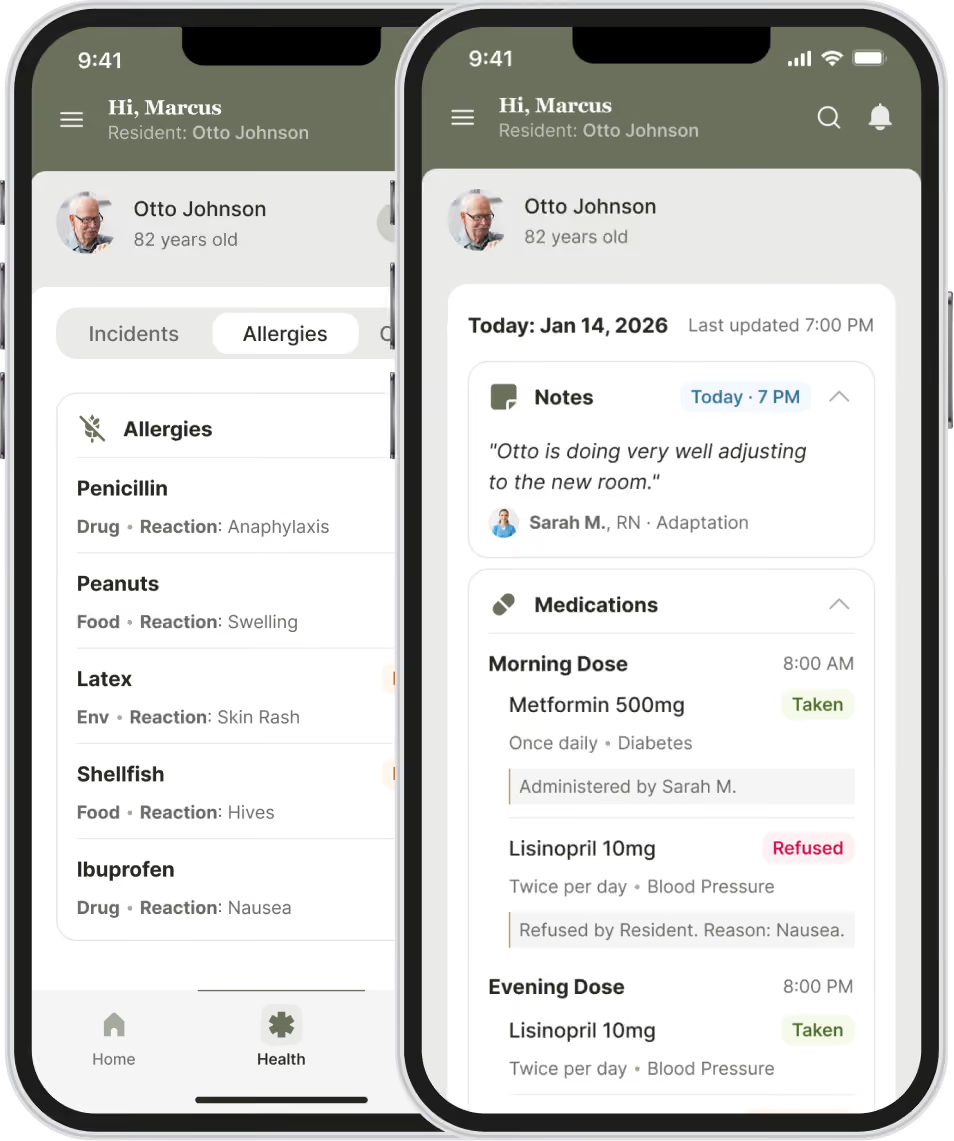
Built around the information families ask about most.
Daily routines and ADLs
Medications
Meals and nutrition
Mobility and activity
Vitals and health information
Other information your organization chooses to share
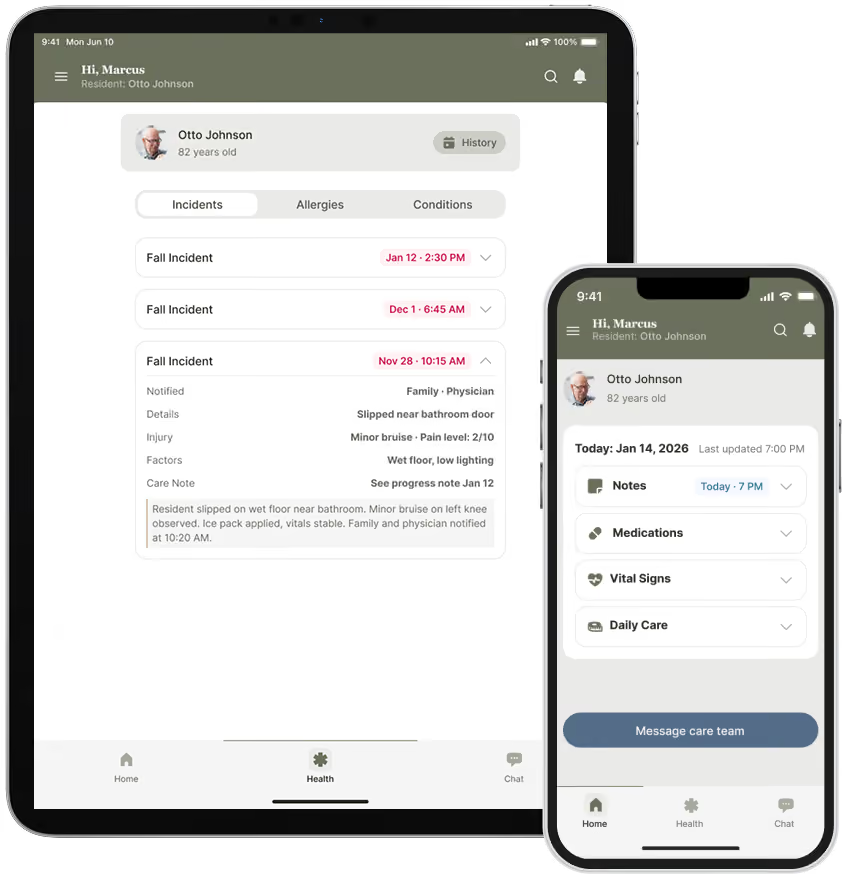
See what a daily update actually looks like.
Watch a live walkthrough of the family experience.
Urgent communication still needs to be secure.
Every login requires two-factor authentication
Sessions lock automatically after a short period of inactivity.
Access can be revoked in seconds the moment someone leaves your team.
No PHI lives on the device itself.
BAAs are already in place with every client.

Part of one connected communication experience.
This works alongside staff messaging, family messaging, announcements, emergency alerts, permissions, searchable history, and optional EHR integration.
Common Questions
Do we need an EHR integration to use Daily Updates?
Yes. Daily Updates are an automated feature available through Caily’s optional EHR integration.
Does staff have to create the Daily Update each day?
No. Daily Updates use information your team is already documenting in the EHR, so staff do not have to create a separate update for families.
What information can families see?
Your organization decides what to share. That can include connected information such as medications, ADLs, vitals, meals, mobility, and other day-to-day information available through your EHR.
Do families get access to our full EHR?
No. Families only see the information your organization has chosen to make available through Caily.
Can we control how much information we share?
Yes. You can share as much or as little as makes sense for your organization and the family experience you want to provide.
How can Daily Updates reduce calls to staff?
By giving families routine visibility into information they would otherwise need to call and ask about, Daily Updates can reduce repeated questions while still keeping families connected to what’s happening.
Still have a question?
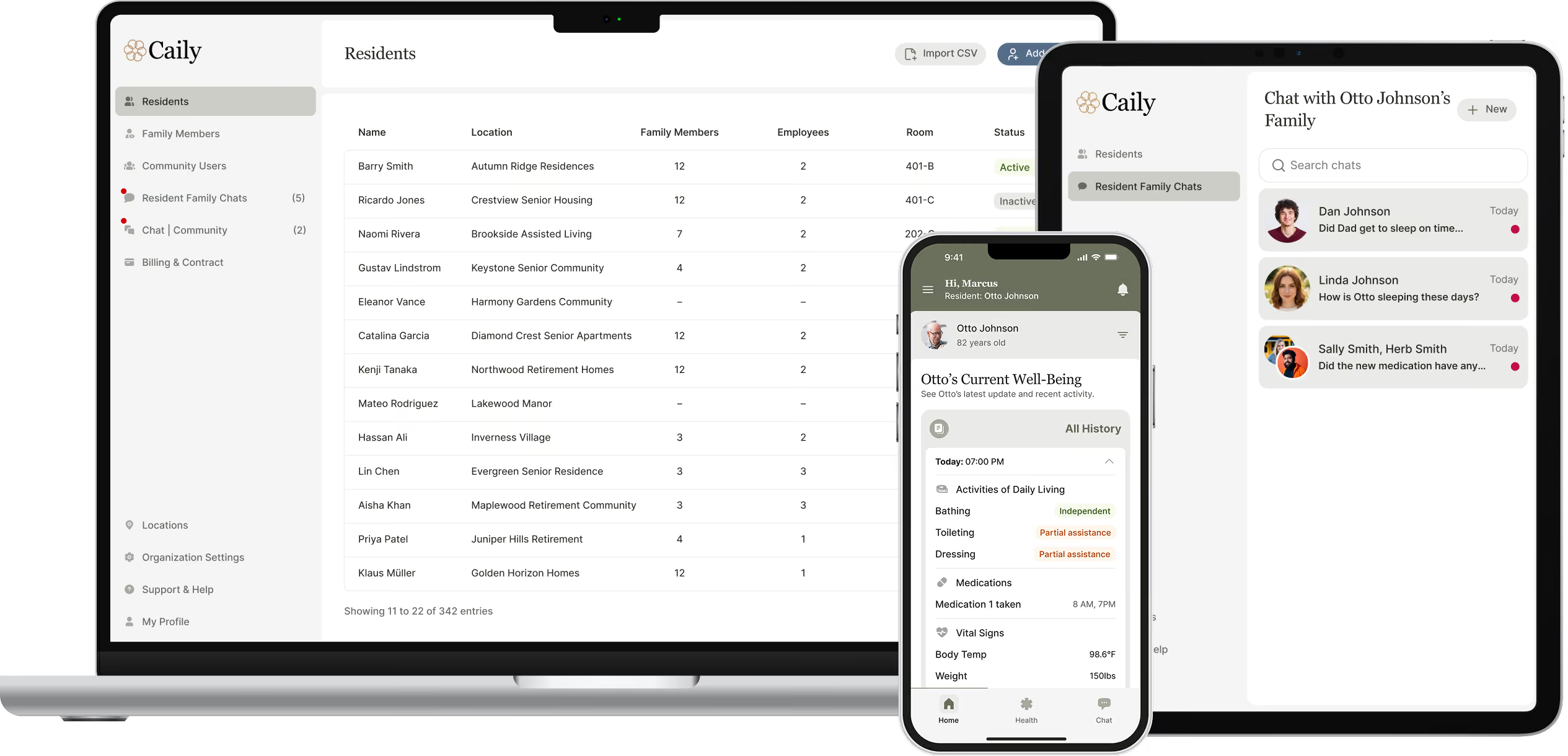
See how daily updates could work for your community.
Talk through your EHR setup, and what a routine update should include.