
What to Expect When Your Community Launches Caily
.jpeg)
When your community introduces Caily, it's more than adding a new communication tool. It's a step toward stronger family trust, less staff time lost to phone tag, and a clearer picture of the care your team delivers every day.
Family communication is one of the most consistent pain points in senior living. Families want to know how their loved one is doing. Staff want to focus on care, not callbacks. And administrators need documentation, compliance, and a way to demonstrate quality. Caily addresses all three. Here's what you can expect when your community gets started, from integration to full rollout.
Why Communities Choose Caily
The communication disconnect between senior living communities and resident families is real and costly. Without a structured system, staff field repetitive phone calls, families grow anxious without updates, and important care information lives across personal phones, unencrypted texts, and fragmented note threads.
Caily solves this by connecting your existing EHR directly to a simple, HIPAA-compliant platform that delivers automated daily care summaries to families, keeps all communication in one secure place, and gives administrators full visibility and documentation of every family interaction. The result is fewer interruptions for staff, more confidence for families, and a clear record of communication for your community.
How Caily Works for Your Community
Before walking through the launch process, it helps to understand what Caily actually does day to day. Caily integrates with your existing EHR system, including PointClickCare, CareRight, IARE, and others, to automatically pull Activities of Daily Living, medications, vitals, and care notes into a daily summary template that you configure. Families receive a notification when their update is ready, log in through a simple app or web link, and can read through everything in under two minutes.
What Families See
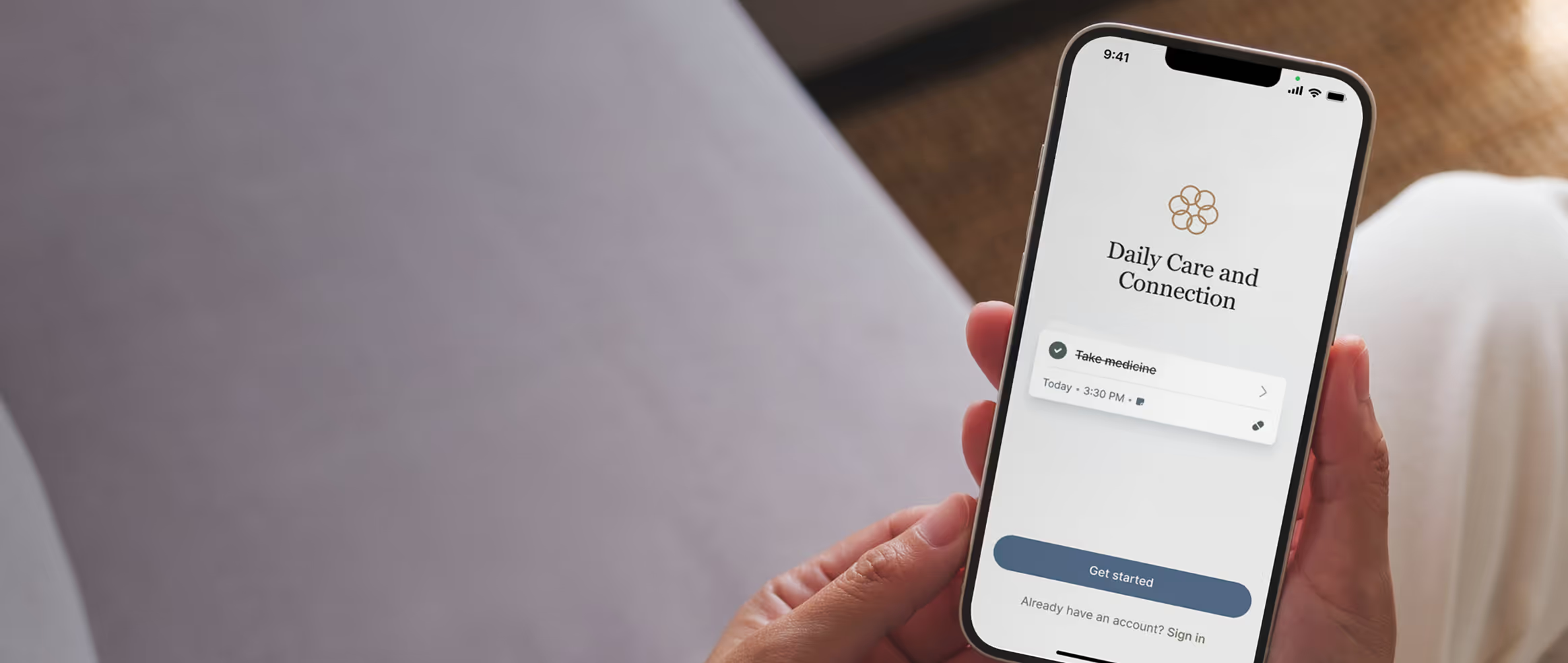
Families get a clean, easy-to-read daily update covering the information you choose to share: eating, sleeping, activities, medications, vitals, and any care notes your team adds. They can view the full history of updates, see trends over time, and message your team directly through Caily's secure chat if they have a question. It looks and feels like texting to them, but it routes through a managed staff dashboard on your end and is fully documented.
What Staff See
Your team accesses a desktop, app, or iPad dashboard where all incoming family chats are organized by resident. Messages are grouped, logged, and trackable. Administrators can see all communications across the community, assign messages to specific staff members, and export records for compliance purposes. No personal phone numbers shared, no unencrypted group texts, and no lost conversations.
The Launch Process: What to Expect
Getting Caily up and running is designed to be straightforward and low-burden for your team. Most communities go live within four to six weeks from kickoff. Here is how the process works.
Phase 1: Setup and EHR Integration (Weeks 1 to 4)
The first step is connecting Caily to your EHR. Your dedicated Caily implementation lead handles the technical integration, which typically takes three to four weeks and requires no time from your floor staff. During this phase, you will work with your Caily partner to configure your daily update template, deciding which data points families should see and what stays internal, and to customize your communication policies using a guideline template Caily provides.
You will also designate a site champion during this phase, typically your Director of Nursing, Executive Director, or Life Enrichment lead. This person is your internal point of contact and will own the rollout on your end. Their time commitment during setup is roughly one to two hours per week, tapering significantly after launch.
Phase 2: Training and Soft Launch (Weeks 5 to 6)
Once your EHR is connected and your template is configured, Caily delivers a virtual train-the-trainer session for your site champion and two to three additional staff leads. The session is recorded for future reference and covers dashboard navigation, responding to family chats, reviewing daily updates, and compliance protocols. Staff need about 15 to 30 minutes of initial training before they are comfortable with normal workflow usage.
From there, you will select five to ten champion families for a soft launch. These are engaged families who are willing to try the platform first and can help encourage adoption when you expand to everyone. Caily provides co-branded welcome materials and family onboarding emails. Families spend about five to ten minutes setting up their account, and daily updates take under two minutes to review.
Phase 3: Full Rollout (Weeks 7 to 12)
Once the soft launch is running smoothly, you expand Caily to all resident families. Your champion families become internal advocates who can help answer questions and encourage others to get set up. Caily continues bi-weekly check-in calls with your site champion to address any friction, gather feedback, and keep adoption moving in the right direction.
The goal during this phase is to establish Caily as a normal part of daily workflow, not an extra task, but a replacement for the phone tag and manual update writing that already consumes staff time.
What You Can Measure
Caily tracks outcomes throughout the pilot period so you can see the impact clearly. The benchmarks communities typically aim for include a 60% or higher family adoption rate within the first 30 days, a 30 to 50% reduction in routine family phone calls, staff chat response times under four hours during business hours, and 30 or more minutes per day reclaimed from repetitive calls. Your Caily partner will share aggregate usage reports throughout the engagement so you can monitor progress and share results with leadership.
Security and HIPAA Compliance
Every interaction on Caily is HIPAA-compliant. All data is encrypted in transit and at rest. Communications are tracked, documented, and exportable for audits. No resident information is shared through personal phones or unencrypted channels. Administrators have full visibility into all family communications across the community, while families only see information about their own loved one. Caily is designed to replace the compliance risk of personal texting with a platform built specifically for the regulatory environment of senior care.
What Communities Say About the Difference
The feedback from senior living leaders who have worked directly with Caily on product development is consistent: family communication is the gap that no existing tool fully closes. EHR systems handle clinical documentation. Scheduling software handles staffing. But the bridge between what staff document and what families actually know has been missing.
Caily fills that gap without adding work to your team's plate. The integration does the heavy lifting, the daily updates go out automatically, and families get the visibility they've been asking for without a phone call being made.
To learn more or schedule a walkthrough for your community, visit Caily.com.
FAQs About Launching Caily in Your Community
How long does it take to launch Caily?
Most communities are fully live within four to six weeks, with the EHR integration handled by Caily's team requiring no staff time, and a soft launch with a small group of families before expanding to everyone.
Does Caily require IT involvement or complex system integrations?
Caily's implementation team handles the EHR connection directly. Your team's involvement is primarily designating a site champion and participating in a short train-the-trainer session.
What data does Caily share with families?
Your team configures exactly what families see through a customizable daily update template. Clinical notes that should stay internal remain internal, and all family-facing content is reviewed and controlled by your community.

Get Started Now
Enjoy full access to everything Caily offers, from medication tracking to shared schedules and daily check-ins. See how much easier caregiving can be when everything is coordinated in one place.
Start your free trial